
February Update
1738601040000
February Updates
- General Update
Today, we're thrilled to introduce our monthly service update email and page.
The purpose of this email is to keep you informed about all the service updates, upgrades, outages, and other critical notifications from DFWMSP and Celeratec affecting your services.
If you receive one or more services from DFWMSP and/or Celeratec, these emails.
This email will be no-more than once a month, unless there is a critical outage or emergency affecting your services.
You can always view the most recent update and any past updates on this website, or through a widget that appears on certain websites when you interact with the services in question.
Service | eProActive Maintenance
— Improvements
Admin User Account
The Admin User account feature has been improved to ensure reliability across all computers in your organization.
The Ability to provide this feature on select computers with passwords different from the main password is now also possible.
Vulnerability Scanning
We are launching our vulnerability scan and remediate feature this month.
This new feature will scan your systems and network for vulnerabilities and assist us in bringing your IT infrastructure up to compliance with various standards.
Currently Supported Standards:
CIS
PCIDSS
HIPAA
NIST 800 53, 800 171, CSF 2.0
ISO 27002
This will increase your IT resilience to malicious actors, hackers, and malware.
Service | Office365
Shield AI Email Security — Version 2.0 Update

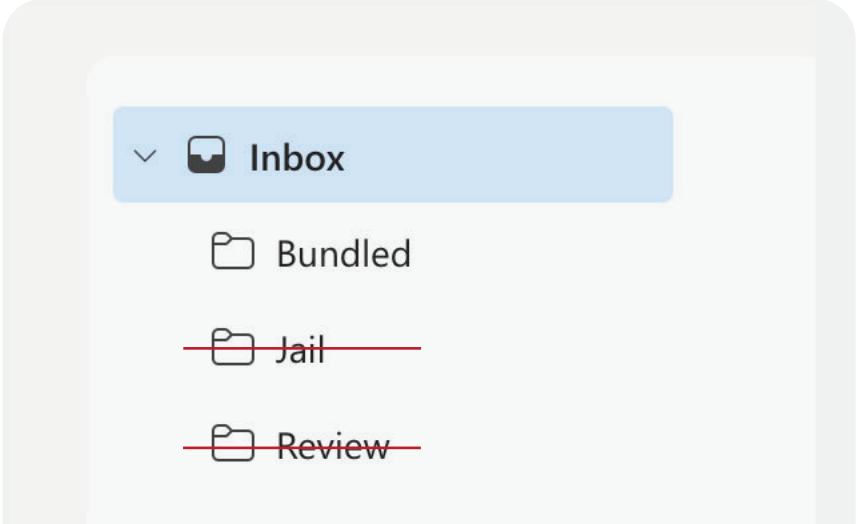
Improvements have been made to the new sender process to make Shield more intuitive, starting with removing the review folder.
If messages are still in your review folder, they will remain there until you move them. However, new messages won’t be delivered to that location in the future.
If you’re currently using the Focused Inbox feature in Outlook, messages from new senders will now land in the Other tab. If you have Focused Inbox turned off, messages will land directly in your inbox.
There is also a new banner at the top of new sender emails where you can trust or silence senders directly from the message:
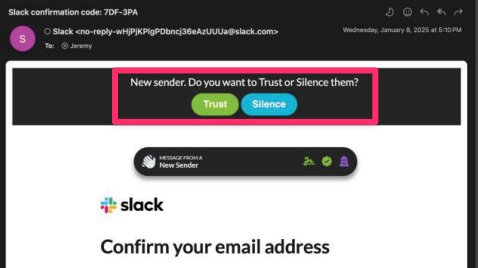

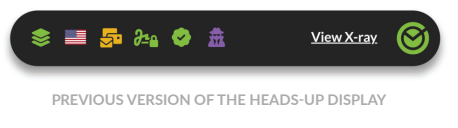
The Heads-Up-Display has been simplified to convey the most important insights you need to know about a message. Critical risk factors are now displayed front and center so you can feel more confident with good messages and more careful with suspicious ones.

In addition, the alt text of the HUD has been changed to explain the risk level in plain English for those who have images disabled or use a screen reader.

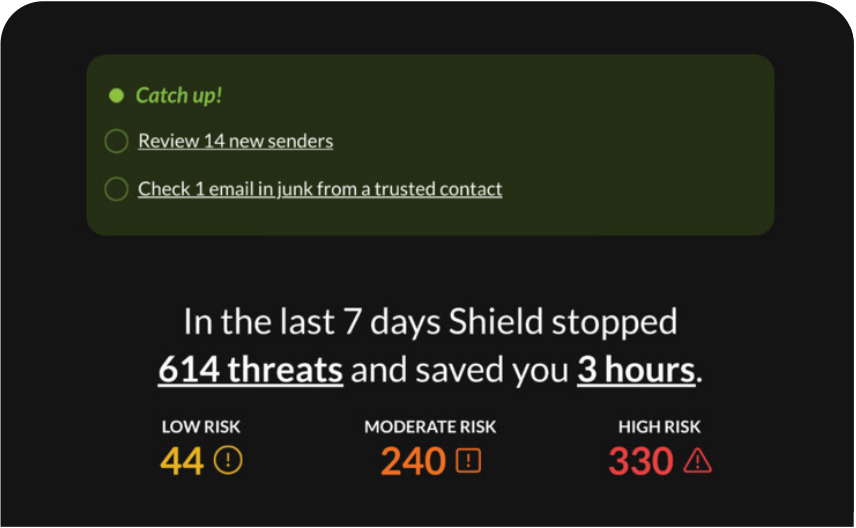
The email security briefing is designed to keep you updated on what’s happening in your email. The catch-up section serves as a gentle reminder to review any new senders and to alert you of any messages from trusted senders in Junk or Jail.

Shield now learns your preferences more naturally by removing extra folders and notifications. With the new sender experience, you no longer have a review folder to manage. In addition, we have eliminated the need for the Jail folder. By deleting a message from the junk folder, you will no longer receive those messages in your mailbox, as they will be sent to Jail automatically
Did you like this update?


Leave your name and email so that we can reply to you (both fields are optional):